跳转到主要内容
In a nutshell
Master wallets are the backbone of Blockradar’s infrastructure. They enable you to manage stablecoin deposits across multiple blockchains, generate dedicated addresses for customers, auto-sweep funds, and initiate withdrawals, all from a single wallet per chain.
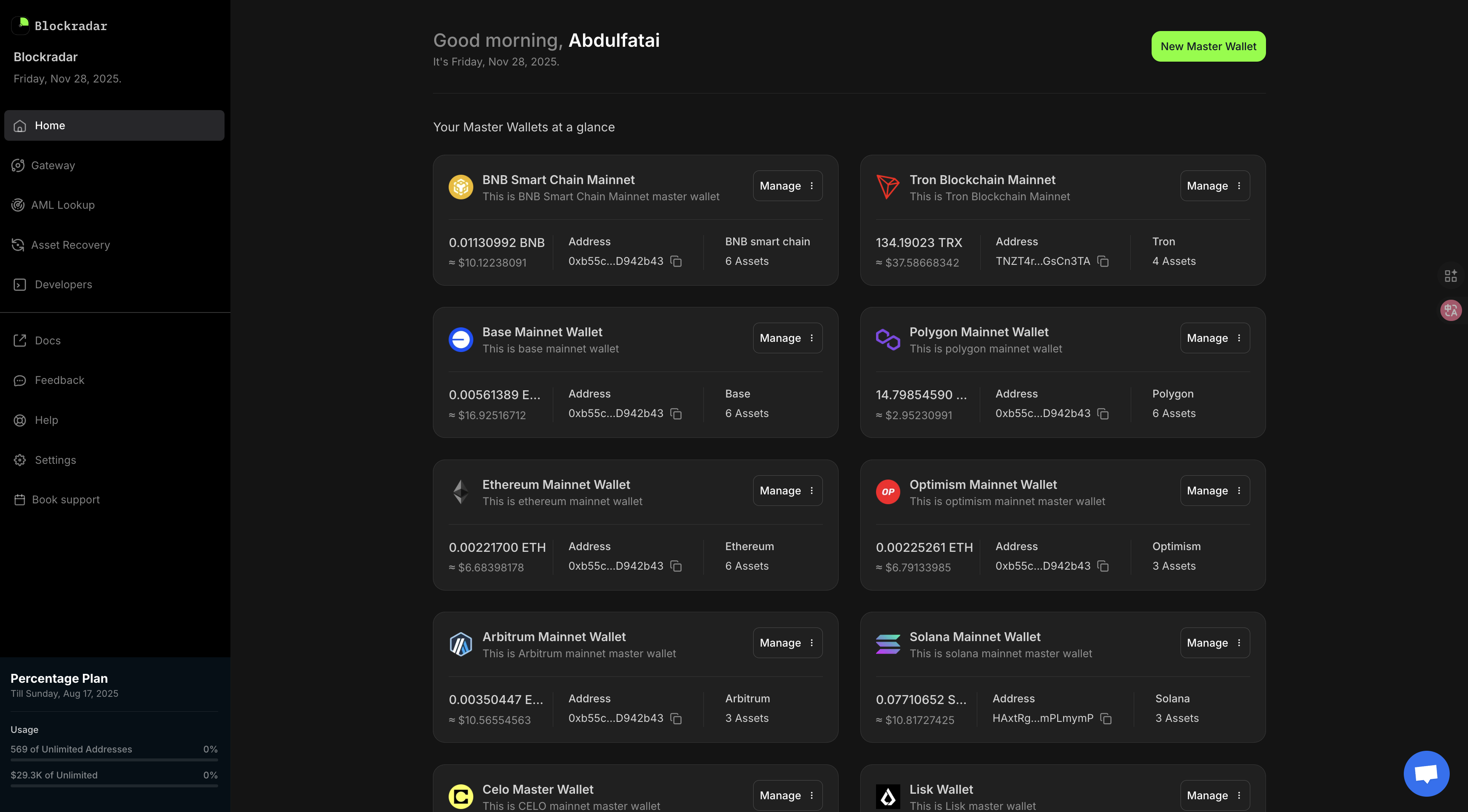
Wallets Home

Prerequisites

Before creating and managing wallets, ensure you have:
1

Blockradar Account

Sign up at dashboard.blockradar.co and complete your account setup.
2

API Key

Generate an API key from Dashboard → Developers in the dashboard. You’ll need this for all API operations.
3

Select Environment

Choose between Testnet (for development) or Mainnet (for production). Wallets are isolated per environment.
4

Choose Blockchain

Decide which blockchain(s) you need. View supported blockchains and assets to see available options.

How It Works

Master wallets let you manage stablecoin deposits across multiple blockchains supported by Blockradar. When you create a master wallet for a specific blockchain, it allows you to manage everything related to that blockchain with the master wallet:
  1. Generating dedicated addresses for your customers to use for depositing stablecoins on multiple blockchains.
  2. Whitelisting externally managed addresses for stablecoin deposit monitoring.
  3. Auto-sweeping: when enabled, every stablecoin deposited to any of the dedicated addresses is automatically swept into the master wallet.
  4. Withdrawals: you can easily initiate stablecoin withdrawals from the master wallet address to an external address.

Creating a Wallet

The creation of a master wallet requires four steps:
  1. Select the blockchain you want to create the wallet for.
  2. Add the stablecoins that you need this master wallet to support.
  3. Configure your wallet webhook URL. This will be used for notifications and data synchronization when stablecoins are deposited into any of the dedicated addresses generated through this wallet.
  4. Fund the master wallet. If you want to enable auto-sweeping of stablecoins from the dedicated addresses to the master wallet and withdrawal to external address, you need to maintain a balance of the native asset on the blockchain in this master wallet.
One dedicated address generated via any of these master wallets can be used to receive deposits on all other blockchain master wallets, provided the blockchains have isEvmCompatible: true.This means you can issue your customers a single unique address that can be used to deposit stablecoins on multiple blockchains, without worrying about them sending stablecoins to the wrong blockchain.

Create a Master Wallet

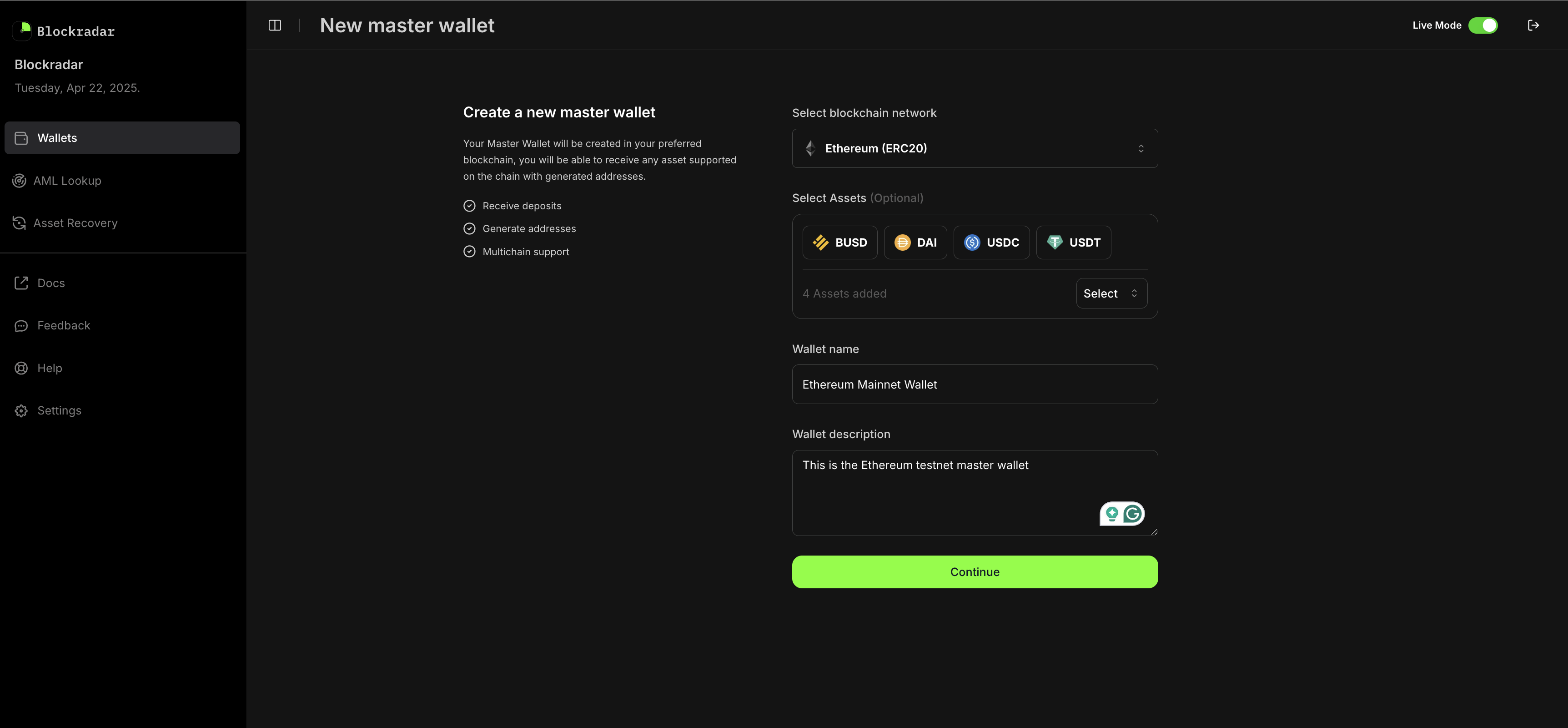
To create a master wallet, go to the dashboard, navigate to the wallets section, and create a wallet to start building a seamless experience for your customers. The Blockradar dashboard provides a simple, user-friendly interface for generating master wallet. Create Wallet
This screenshot demonstrates the process of generating a new master wallet via the Blockradar dashboard. This method is ideal for manual address creation or for teams who prefer a graphical interface.
Environment
Wallets created in the live environment are isolated to that environment. The same applies to wallets created in the test environment, including the dedicated addresses created for your customers.