

In a nutshell
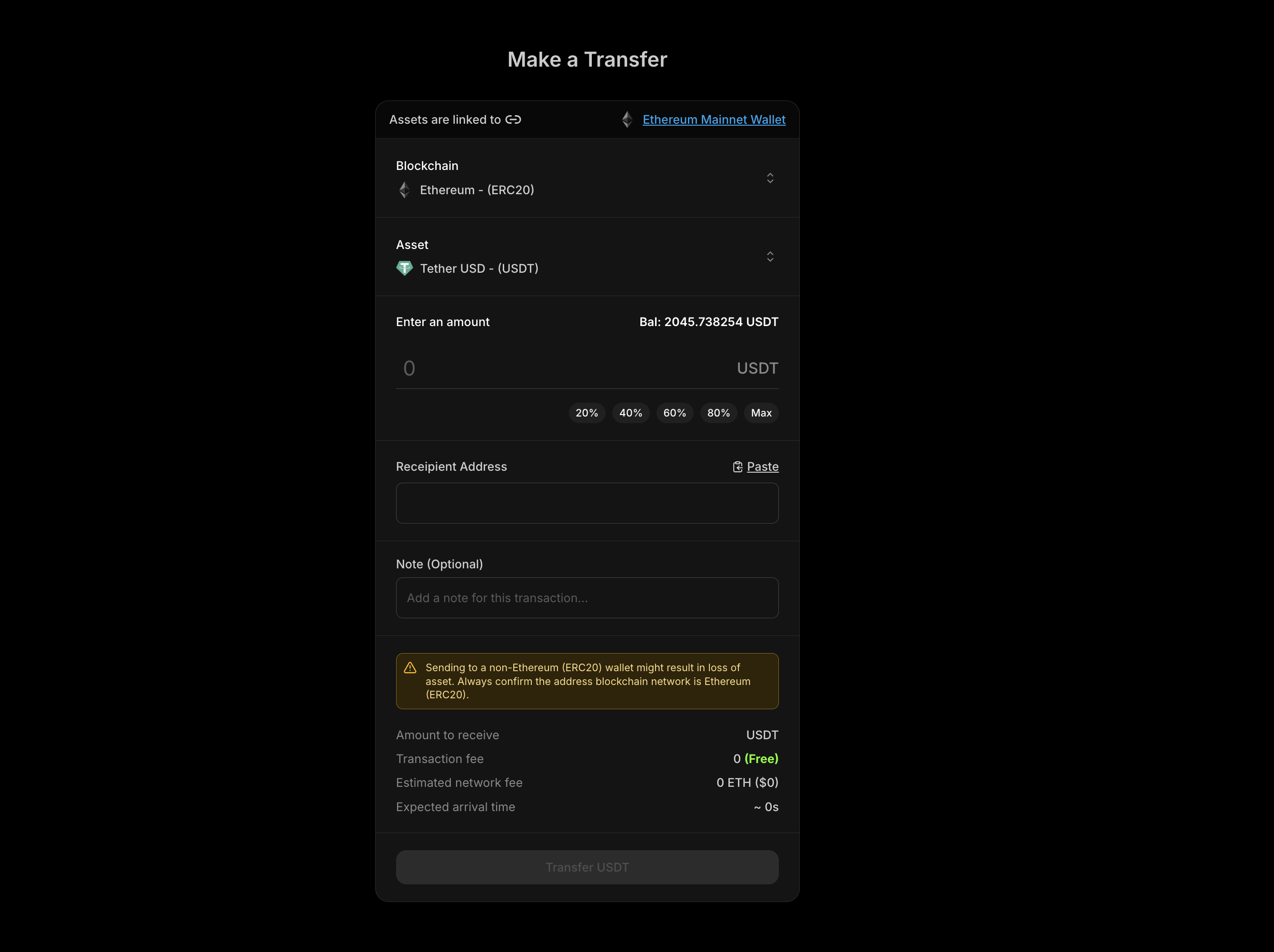
The Blockradar Withdraw API allows you to send stablecoin assets from your wallets to external blockchain addresses. It supports single withdrawals, batch withdrawals to multiple recipients, and provides fee estimation before execution.
Prerequisites
Before using the Withdraw API, ensure you have:
Wallet Created
Create a wallet via the Create Wallet API or dashboard. You’ll need the walletId for withdrawal operations.
Asset ID
Get the assetId for the token you want to withdraw from Assets in the dashboard or via the Get Assets API .
Sufficient Balance
Ensure your wallet has enough balance of the asset to withdraw, plus native currency (ETH, BNB, MATIC, etc.) to cover network fees.
How It Works
The Withdraw API sends stablecoin assets from your Blockradar wallet to any external blockchain address:
Single Withdrawal Send assets to one recipient address with a single API call.
Batch Withdrawal Send assets to multiple recipients in a single API call, reducing overhead and simplifying bulk payouts.
Fee Estimation Calculate network fees before execution to ensure sufficient balance and display costs to users.
Sign-Only Mode Sign transactions without broadcasting for advanced use cases like offline signing or custom submission.
Master Wallet vs Child Address
The Withdraw API is available at two levels:
Master Wallet Withdraw directly from your master wallet. Ideal for treasury operations and centralized fund management.
Child Address Withdraw from individual child addresses. Perfect for user-specific operations and segregated fund management.
Endpoints
Operation Master Wallet Child Address Withdraw POST /v1/wallets/{walletId}/withdrawPOST /v1/wallets/{walletId}/addresses/{addressId}/withdrawNetwork Fee POST /v1/wallets/{walletId}/withdraw/network-feePOST /v1/wallets/{walletId}/addresses/{addressId}/withdraw/network-feeSign-Only POST /v1/wallets/{walletId}/withdraw/signPOST /v1/wallets/{walletId}/addresses/{addressId}/withdraw/sign
Single Withdrawal
Send assets to a single recipient address.
Request Parameters
Parameter Type Required Description assetIdstring Yes* The UUID of the asset to withdraw. Required if assets array is not provided. addressstring Yes* The destination wallet address. Required if assets array is not provided. amountstring Yes* The withdrawal amount. Must be greater than 0. Required if assets array is not provided. referencestring No Your internal tracking ID for the withdrawal. notestring No A short message or internal remark. Not visible on-chain. metadataobject No Custom key-value pairs for additional transaction details.
Parameters marked with * are required for single withdrawals but are not needed if you’re using the assets array for batch withdrawals.
Single Withdrawal Example
curl --request POST \
--url https://api.blockradar.co/v1/wallets/{walletId}/withdraw \
--header 'Content-Type: application/json' \
--header 'x-api-key: <api-key>' \
--data '{
"assetId": "asset-uuid-here",
"address": "0xRecipientAddress...",
"amount": "100",
"reference": "payout-12345",
"note": "Monthly payout",
"metadata": {
"userId": "user_abc123",
"payoutType": "salary"
}
}'
const withdrawal = await fetch (
`https://api.blockradar.co/v1/wallets/ ${ walletId } /withdraw` ,
{
method: 'POST' ,
headers: {
'Content-Type' : 'application/json' ,
'x-api-key' : apiKey
},
body: JSON . stringify ({
assetId: 'asset-uuid-here' ,
address: '0xRecipientAddress...' ,
amount: '100' ,
reference: 'payout-12345' ,
note: 'Monthly payout' ,
metadata: {
userId: 'user_abc123' ,
payoutType: 'salary'
}
})
}
). then ( r => r . json ());
console . log ( 'Withdrawal initiated:' , withdrawal . data );
Single Withdrawal Response
{
"message" : "Withdrawal initiated successfully" ,
"statusCode" : 200 ,
"data" : {
"id" : "tx-uuid-123" ,
"hash" : "0xabc123..." ,
"status" : "PENDING" ,
"amount" : "100" ,
"recipientAddress" : "0xRecipientAddress..." ,
"reference" : "payout-12345" ,
"note" : "Monthly payout" ,
"metadata" : {
"userId" : "user_abc123" ,
"payoutType" : "salary"
},
"createdAt" : "2024-01-15T10:30:00Z"
}
}
Batch Withdrawals
Send assets to multiple recipients in a single API call. Batch withdrawals are executed sequentially, and each withdrawal is processed as a separate blockchain transaction.
When to Use Batch Withdrawals
Bulk payouts : Pay multiple employees, vendors, or partners at once
Distributions : Send assets to multiple addresses
Multi-recipient transfers : Send different amounts to different addresses
Operational efficiency : Reduce API calls and simplify payout logic
Batch Request Parameters
For batch withdrawals, use the assets array instead of individual parameters:
Parameter Type Required Description assetsarray Yes Array of withdrawal objects (max 20 per batch)
Each item in the assets array:
Field Type Required Description idstring Yes The UUID of the asset to withdraw addressstring Yes The destination wallet address amountstring Yes The withdrawal amount. Must be greater than 0. referencestring No Optional reference note for this withdrawal notestring No A short message or internal remark. Not visible on-chain. metadataobject No Custom key-value pairs for additional transaction details.
Batch Withdrawal Example
curl --request POST \
--url https://api.blockradar.co/v1/wallets/{walletId}/withdraw \
--header 'Content-Type: application/json' \
--header 'x-api-key: <api-key>' \
--data '{
"assets": [
{
"id": "asset-uuid-usdc",
"address": "0xRecipient1...",
"amount": "100",
"reference": "payout-001",
"note": "January salary"
},
{
"id": "asset-uuid-usdc",
"address": "0xRecipient2...",
"amount": "150",
"reference": "payout-002",
"note": "January salary"
},
{
"id": "asset-uuid-usdt",
"address": "0xRecipient3...",
"amount": "200",
"reference": "payout-003",
"note": "Vendor payment"
}
]
}'
const batchWithdrawal = await fetch (
`https://api.blockradar.co/v1/wallets/ ${ walletId } /withdraw` ,
{
method: 'POST' ,
headers: {
'Content-Type' : 'application/json' ,
'x-api-key' : apiKey
},
body: JSON . stringify ({
assets: [
{
id: 'asset-uuid-usdc' ,
address: '0xRecipient1...' ,
amount: '100' ,
reference: 'payout-001' ,
note: 'January salary'
},
{
id: 'asset-uuid-usdc' ,
address: '0xRecipient2...' ,
amount: '150' ,
reference: 'payout-002' ,
note: 'January salary'
},
{
id: 'asset-uuid-usdt' ,
address: '0xRecipient3...' ,
amount: '200' ,
reference: 'payout-003' ,
note: 'Vendor payment'
}
]
})
}
). then ( r => r . json ());
console . log ( 'Batch withdrawal result:' , batchWithdrawal . data );
Batch Withdrawal Response
{
"message" : "Batch withdrawal initiated successfully" ,
"statusCode" : 200 ,
"data" : {
"success" : [
{
"index" : 0 ,
"id" : "tx-uuid-1" ,
"hash" : "0xabc..." ,
"status" : "PENDING" ,
"amount" : "100" ,
"recipientAddress" : "0xRecipient1..." ,
"reference" : "payout-001"
},
{
"index" : 1 ,
"id" : "tx-uuid-2" ,
"hash" : "0xdef..." ,
"status" : "PENDING" ,
"amount" : "150" ,
"recipientAddress" : "0xRecipient2..." ,
"reference" : "payout-002"
},
{
"index" : 2 ,
"id" : "tx-uuid-3" ,
"hash" : "0xghi..." ,
"status" : "PENDING" ,
"amount" : "200" ,
"recipientAddress" : "0xRecipient3..." ,
"reference" : "payout-003"
}
],
"errors" : []
}
}
Handling Partial Failures
Batch withdrawals support partial success. If some withdrawals fail, others will still execute:
const result = await batchWithdrawal . json ();
// Process successful withdrawals
result . data . success . forEach ( tx => {
console . log ( `✓ ${ tx . reference } : ${ tx . hash } ` );
});
// Handle failed withdrawals
result . data . errors . forEach ( error => {
console . error ( `✗ Index ${ error . index } : ${ error . error } ` );
// Retry logic or error reporting here
});
Batch Withdrawal Rules
Rule Value Maximum batch size 20 withdrawals per request Minimum batch size 1 withdrawal Execution order Sequential Error handling Partial success (failures don’t stop subsequent withdrawals)
Estimating Network Fees
Always estimate fees before executing withdrawals to ensure sufficient native token balance and to display accurate costs to users.
Single Fee Estimation
curl --request POST \
--url https://api.blockradar.co/v1/wallets/{walletId}/withdraw/network-fee \
--header 'Content-Type: application/json' \
--header 'x-api-key: <api-key>' \
--data '{
"assetId": "asset-uuid-here",
"address": "0xRecipientAddress...",
"amount": "100"
}'
const fee = await fetch (
`https://api.blockradar.co/v1/wallets/ ${ walletId } /withdraw/network-fee` ,
{
method: 'POST' ,
headers: {
'Content-Type' : 'application/json' ,
'x-api-key' : apiKey
},
body: JSON . stringify ({
assetId: 'asset-uuid-here' ,
address: '0xRecipientAddress...' ,
amount: '100'
})
}
). then ( r => r . json ());
console . log ( 'Network fee:' , fee . data . networkFee );
console . log ( 'Fee in USD:' , fee . data . networkFeeInUSD );
Single Fee Response
{
"message" : "Network fee fetched successfully" ,
"statusCode" : 200 ,
"data" : {
"networkFee" : "0.00001247904" ,
"networkFeeInUSD" : "0.01" ,
"transactionFee" : "0" ,
"nativeBalance" : "0.5" ,
"nativeBalanceInUSD" : "450.00" ,
"estimatedArrivalTime" : 30
}
}
Batch Fee Estimation
Estimate fees for multiple withdrawals at once:
curl --request POST \
--url https://api.blockradar.co/v1/wallets/{walletId}/withdraw/network-fee \
--header 'Content-Type: application/json' \
--header 'x-api-key: <api-key>' \
--data '{
"assets": [
{
"id": "asset-uuid-1",
"address": "0xRecipient1...",
"amount": "100"
},
{
"id": "asset-uuid-2",
"address": "0xRecipient2...",
"amount": "50"
}
]
}'
const batchFee = await fetch (
`https://api.blockradar.co/v1/wallets/ ${ walletId } /withdraw/network-fee` ,
{
method: 'POST' ,
headers: {
'Content-Type' : 'application/json' ,
'x-api-key' : apiKey
},
body: JSON . stringify ({
assets: [
{
id: 'asset-uuid-1' ,
address: '0xRecipient1...' ,
amount: '100'
},
{
id: 'asset-uuid-2' ,
address: '0xRecipient2...' ,
amount: '50'
}
]
})
}
). then ( r => r . json ());
console . log ( 'Total network fee:' , batchFee . data . totalNetworkFee );
console . log ( 'Total fee in USD:' , batchFee . data . totalNetworkFeeInUSD );
Batch Fee Response
{
"message" : "Network fee fetched successfully" ,
"statusCode" : 200 ,
"data" : {
"fees" : [
{
"index" : 0 ,
"assetId" : "asset-uuid-1" ,
"address" : "0xRecipient1..." ,
"amount" : "100" ,
"networkFee" : "0.00001247904" ,
"transactionFee" : "0" ,
"estimatedArrivalTime" : 30
},
{
"index" : 1 ,
"assetId" : "asset-uuid-2" ,
"address" : "0xRecipient2..." ,
"amount" : "50" ,
"networkFee" : "0.00000504" ,
"transactionFee" : "0" ,
"estimatedArrivalTime" : 30
}
],
"totalNetworkFee" : "0.00001751904" ,
"totalNetworkFeeInUSD" : "0.02" ,
"totalTransactionFee" : "0" ,
"nativeBalance" : "0.073690520542044578" ,
"nativeBalanceInUSD" : "66.54" ,
"estimatedArrivalTime" : 60 ,
"errors" : []
}
}
Fee Response Fields
Field Description networkFeeGas fee in native token units (single withdrawal) networkFeeInUSDGas fee converted to USD (single withdrawal) feesArray of individual fee estimates (batch withdrawal) totalNetworkFeeSum of all network fees (batch withdrawal) totalNetworkFeeInUSDTotal network fee in USD (batch withdrawal) transactionFeePlatform transaction fee (if applicable) nativeBalanceCurrent native token balance nativeBalanceInUSDNative token balance in USD estimatedArrivalTimeExpected confirmation time in seconds errorsArray of any failed estimations (batch withdrawal)
Sign-Only Mode
Sign transactions without broadcasting them to the blockchain. Useful for:
Offline signing : Prepare transactions for later submission
Multi-signature workflows : Collect signatures before submission
Transaction inspection : Review transaction details before broadcasting
Sign-Only Example
curl --request POST \
--url https://api.blockradar.co/v1/wallets/{walletId}/withdraw/sign \
--header 'Content-Type: application/json' \
--header 'x-api-key: <api-key>' \
--data '{
"assetId": "asset-uuid-here",
"address": "0xRecipientAddress...",
"amount": "100"
}'
const signedTx = await fetch (
`https://api.blockradar.co/v1/wallets/ ${ walletId } /withdraw/sign` ,
{
method: 'POST' ,
headers: {
'Content-Type' : 'application/json' ,
'x-api-key' : apiKey
},
body: JSON . stringify ({
assetId: 'asset-uuid-here' ,
address: '0xRecipientAddress...' ,
amount: '100'
})
}
). then ( r => r . json ());
console . log ( 'Signed transaction:' , signedTx . data . signedTransaction );
Sign-Only Response
{
"message" : "Transaction signed successfully" ,
"statusCode" : 200 ,
"data" : {
"id" : "tx-uuid-123" ,
"signedTransaction" : "0xf86c..." ,
"status" : "SIGNED" ,
"amount" : "100" ,
"recipientAddress" : "0xRecipientAddress..." ,
"createdAt" : "2024-01-15T10:30:00Z"
}
}
Child Address Withdrawals
Withdraw from individual child addresses instead of the master wallet:
curl --request POST \
--url https://api.blockradar.co/v1/wallets/{walletId}/addresses/{addressId}/withdraw \
--header 'Content-Type: application/json' \
--header 'x-api-key: <api-key>' \
--data '{
"assetId": "asset-uuid-here",
"address": "0xRecipientAddress...",
"amount": "50",
"reference": "user-withdrawal-123"
}'
const childWithdrawal = await fetch (
`https://api.blockradar.co/v1/wallets/ ${ walletId } /addresses/ ${ addressId } /withdraw` ,
{
method: 'POST' ,
headers: {
'Content-Type' : 'application/json' ,
'x-api-key' : apiKey
},
body: JSON . stringify ({
assetId: 'asset-uuid-here' ,
address: '0xRecipientAddress...' ,
amount: '50' ,
reference: 'user-withdrawal-123'
})
}
). then ( r => r . json ());
console . log ( 'Child address withdrawal:' , childWithdrawal . data );
Child address withdrawals also support batch operations using the assets array, following the same format as master wallet batch withdrawals.
Webhook Events
Monitor withdrawal completion through webhooks:
Event Description withdraw.successWithdrawal completed and confirmed on the blockchain withdraw.failedWithdrawal failed to execute withdraw.cancelledWithdrawal was cancelled before completion
Webhook Payload
{
"event" : "withdraw.success" ,
"data" : {
"id" : "081d6315-159f-4c38-b02a-c4708836c5bd" ,
"reference" : "payout-12345" ,
"senderAddress" : "0x947514e4B803e312C312da0F1B41fEDdbe15ae7a" ,
"recipientAddress" : "0x2455eC6700092991Ce0782365A89d5Cd89c8Fa22" ,
"amount" : "100" ,
"amountPaid" : "100" ,
"fee" : null ,
"currency" : "USD" ,
"blockNumber" : 6928833 ,
"hash" : "0x5fcb7dd11cbb5a6d64da08cf7e0d63c1a1e7b9d1b89e3e8d1c6a5f4b3a2c1d0e" ,
"status" : "SUCCESS" ,
"type" : "WITHDRAW" ,
"note" : "Monthly payout" ,
"asset" : {
"id" : "asset-uuid" ,
"name" : "USD Coin" ,
"symbol" : "USDC" ,
"decimals" : 6
},
"wallet" : {
"id" : "wallet-uuid" ,
"name" : "Main Treasury"
},
"blockchain" : {
"id" : "blockchain-uuid" ,
"name" : "ethereum" ,
"network" : "mainnet"
},
"metadata" : {
"userId" : "user_abc123" ,
"payoutType" : "salary"
},
"createdAt" : "2024-01-15T10:30:00Z" ,
"updatedAt" : "2024-01-15T10:31:00Z"
}
}
Complete Flow Example
Here’s a full implementation showing the fee estimation → user confirmation → withdrawal flow:
async function processWithdrawal ( walletId , assetId , recipientAddress , amount ) {
const apiKey = process . env . BLOCKRADAR_API_KEY ;
const baseUrl = 'https://api.blockradar.co/v1' ;
// Step 1: Estimate network fee
const feeResponse = await fetch (
` ${ baseUrl } /wallets/ ${ walletId } /withdraw/network-fee` ,
{
method: 'POST' ,
headers: {
'Content-Type' : 'application/json' ,
'x-api-key' : apiKey
},
body: JSON . stringify ({
assetId ,
address: recipientAddress ,
amount
})
}
). then ( r => r . json ());
// Step 2: Check if we have enough native balance for gas
const fee = feeResponse . data ;
if ( parseFloat ( fee . nativeBalance ) < parseFloat ( fee . networkFee )) {
throw new Error ( `Insufficient gas: need ${ fee . networkFee } , have ${ fee . nativeBalance } ` );
}
// Step 3: Display fee to user (in your UI)
console . log ( `Network fee: ${ fee . networkFee } (≈$ ${ fee . networkFeeInUSD } )` );
console . log ( `Estimated time: ${ fee . estimatedArrivalTime } s` );
// Step 4: Execute withdrawal (after user confirmation)
const withdrawal = await fetch (
` ${ baseUrl } /wallets/ ${ walletId } /withdraw` ,
{
method: 'POST' ,
headers: {
'Content-Type' : 'application/json' ,
'x-api-key' : apiKey
},
body: JSON . stringify ({
assetId ,
address: recipientAddress ,
amount ,
reference: `withdraw- ${ Date . now () } `
})
}
). then ( r => r . json ());
console . log ( 'Withdrawal initiated:' , withdrawal . data . id );
console . log ( 'Transaction hash:' , withdrawal . data . hash );
// Step 5: Listen for webhook to confirm completion
return withdrawal . data ;
}
// Usage
processWithdrawal (
'wallet-uuid' ,
'asset-uuid-usdc' ,
'0xRecipientAddress...' ,
'100'
);
Error Responses
{
"message" : "Insufficient balance for withdrawal" ,
"statusCode" : 400 ,
"error" : "INSUFFICIENT_BALANCE" ,
"data" : {
"required" : "100" ,
"available" : "50.25" ,
"asset" : "USDC"
}
}
{
"message" : "Insufficient native token balance for gas" ,
"statusCode" : 400 ,
"error" : "INSUFFICIENT_GAS" ,
"data" : {
"required" : "0.005" ,
"available" : "0.001" ,
"token" : "ETH"
}
}
{
"message" : "Invalid recipient address" ,
"statusCode" : 400 ,
"error" : "INVALID_ADDRESS" ,
"data" : {
"address" : "invalid_address_here"
}
}
{
"message" : "Asset not found" ,
"statusCode" : 404 ,
"error" : "ASSET_NOT_FOUND" ,
"data" : {
"assetId" : "invalid-asset-uuid"
}
}
{
"message" : "Amount must be greater than 0" ,
"statusCode" : 400 ,
"error" : "INVALID_AMOUNT" ,
"data" : {
"amount" : "0"
}
}
{
"message" : "Batch size exceeds maximum limit" ,
"statusCode" : 400 ,
"error" : "BATCH_SIZE_EXCEEDED" ,
"data" : {
"maximum" : 20 ,
"provided" : 25
}
}
Best Practices
Security
Validate addresses : Always verify recipient addresses before initiating withdrawals
Use references : Track withdrawals with unique reference IDs for reconciliation
Implement webhooks : Listen for withdraw.success and withdraw.failed events to confirm status
Check AML : Blockradar automatically screens addresses—review any flagged transactions
Fee Management
Estimate before execution : Always call the network-fee endpoint before withdrawals
Monitor native balance : Ensure sufficient ETH/BNB/MATIC for gas fees
Use batch for efficiency : Group multiple withdrawals to reduce API calls and operational overhead
Error Handling
Handle partial failures : In batch withdrawals, check both success and errors arrays
Implement retries : Use exponential backoff for transient failures
Log all transactions : Store transaction IDs and hashes for debugging and reconciliation
Use appropriate batch sizes : Larger batches reduce API calls but increase individual request time
Cache asset IDs : Store asset IDs locally to avoid repeated lookups
Implement rate limiting : Respect API rate limits to avoid throttling
API Reference
Master Wallet Endpoints
Endpoint Description Withdraw Execute single or batch withdrawal Network Fee Estimate withdrawal fees Sign-Only Sign without broadcasting
Child Address Endpoints
Endpoint Description Withdraw Execute single or batch withdrawal Network Fee Estimate withdrawal fees Sign-Only Sign without broadcasting
Support
The Withdraw API provides a flexible interface for sending stablecoin assets to external addresses. Start with single withdrawals and fee estimation, then incorporate batch operations for bulk payouts as your needs grow.