

- v2 · Recommended
- v1 · Legacy
In a nutshell
Blockradar’s Withdraw Fiat API converts supported stablecoins into fiat and pays out to bank accounts, mobile money, and other local rails. The v2 flow discovers the payment methods available for a corridor, returns a schema describing exactly what each method needs, resolves fields such as the beneficiary account name, and then quotes and executes the withdrawal from a master wallet or child address.
Blockradar’s Withdraw Fiat API converts supported stablecoins into fiat and pays out to bank accounts, mobile money, and other local rails. The v2 flow discovers the payment methods available for a corridor, returns a schema describing exactly what each method needs, resolves fields such as the beneficiary account name, and then quotes and executes the withdrawal from a master wallet or child address.
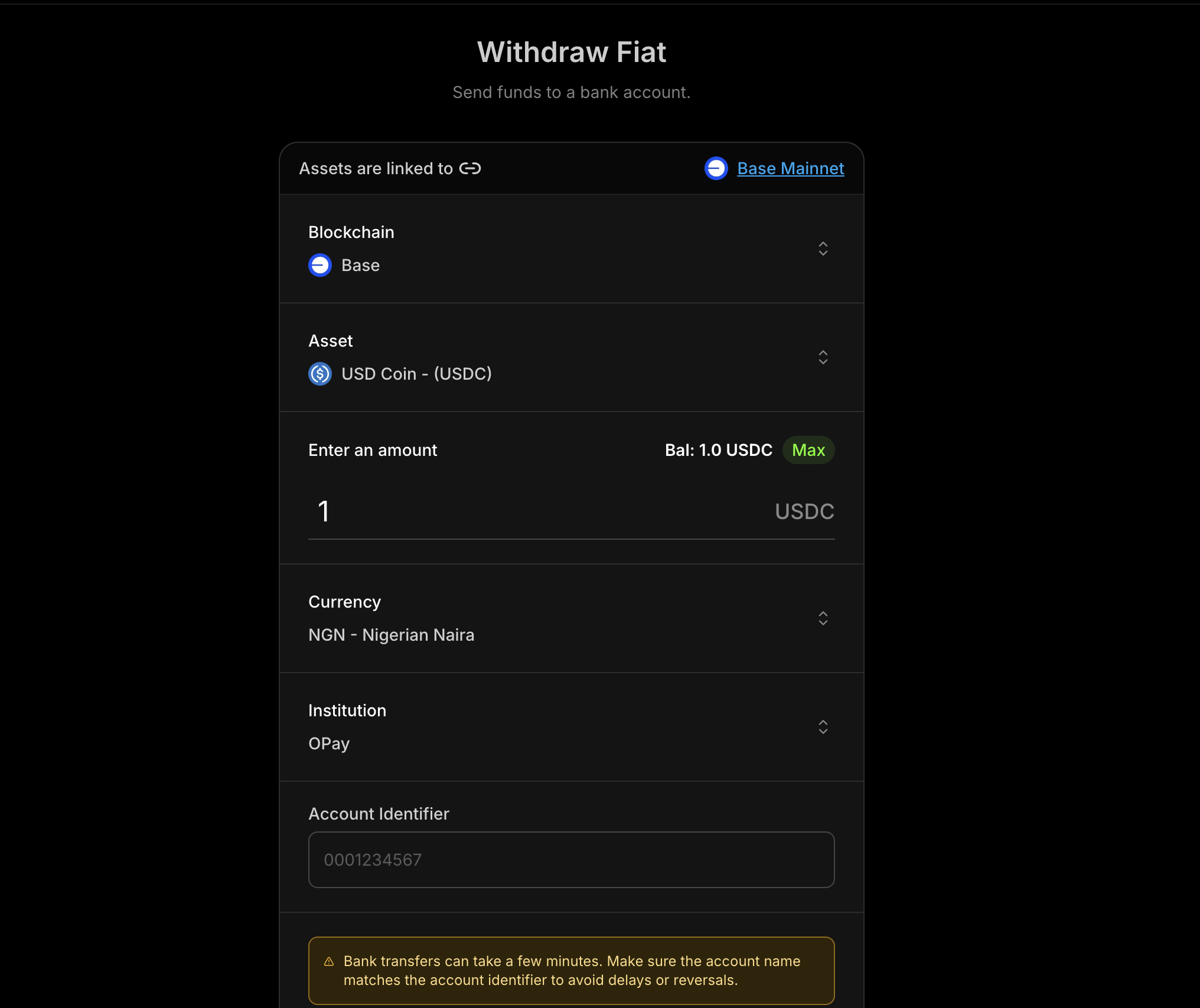
v2 payment methods return a JSON Schema describing the beneficiary and payment
details your application must collect. See Dynamic
Forms to render, validate, resolve, and submit these
fields. The v1 flow is available in the v1 · Legacy tab, but is no longer
recommended.
Prerequisites
Before using Withdraw Fiat, ensure you have:1
Compliance Approved
Complete the Due Diligence process on the Dashboard: My Wallets → Settings → Compliance. Compliance requirements and approval processes vary by geography, so you only need to complete the ones for the local rails your product uses.
2
API Key
Get your API key from the Blockradar
Dashboard. Navigate to Developers to
generate one.
3
Wallet Created
Create a wallet via the dashboard. You’ll need the
walletId for withdrawal
operations.4
Asset ID
Fetch supported fiat assets using Get Supported
Assets. Use the
returned
id as the assetId throughout the flow.How It Works
The v2 flow is corridor-driven: you choose an asset, currency, and amount, then discover the payment methods that support that corridor and collect exactly what each method requires.Discover Assets
Fetch the stablecoins supported for withdrawals.
Get Currencies & Rates
List supported payout currencies and fetch the current rate.
List Payment Methods
Discover the methods available for the asset, currency, and amount.
Get Requirements
Retrieve the JSON Schema describing the fields the method needs.
Resolve & Quote
Resolve fields like the account name, then quote fees and rate.
Execute
Submit
paymentMethodData to process the withdrawal.Supported Fiat Currencies
Currencies vary by corridor and provider. Always fetch the live list with Get Supported Currencies rather than hard-coding it. The snapshot below shows USD, EUR, and the main LATAM corridors; see the full fiat-to-chain matrix on the Supported Fiat Currencies page.Master Wallet vs Child Address
Withdraw Fiat is available at two levels:Master Wallet
Withdraw from the master wallet. Ideal for treasury operations.
Child Address
Withdraw from a specific child address. Useful for user-specific flows.
Endpoints
Discovery endpoints (assets, currencies, rates, payment methods, requirements,
resolve) are scoped to the master wallet. Once you have a validated
paymentMethodData object, you can quote and execute from either the master
wallet or a child address.Typical Flow
- Fetch supported assets to choose the stablecoin to withdraw.
- Fetch currencies and rate for the chosen corridor and keep the returned
sessionId. - List payment methods using that session.
- Get requirements for the selected method to receive its schema.
- Resolve fields such as the account name, then collect and validate
paymentMethodData. - Get a quote using the same session to show fees and rate before execution.
- Execute using the same session and track status with webhooks.
The v2 rates endpoint starts a provider-routing session. Treat its
sessionId
as authoritative for the rest of the flow: it binds the wallet, wallet asset,
currency, amount, amount side, provider, and conversion route for 20 minutes.
Do not mix a session with routing values from another rate request. If the API
returns FIAT_WITHDRAWAL_SESSION_EXPIRED or
FIAT_WITHDRAWAL_SESSION_UNAVAILABLE, request a new rate and restart the flow.Step 1: Get Supported Assets
Fetch the stablecoins available for withdrawal and take theid you want as the
assetId.Step 2: Get Currencies and Rate
List the supported payout currencies, then fetch the current rate for the asset, currency, and amount.Rate Response
Step 3: List Payment Methods
Discover the payment methods available for the session-bound corridor. Pass thesessionId returned by Step 2; optionally narrow by country or
paymentMethodCategory.Payment Methods Response
requirementsRef, look up its schema in
data.requirements[requirementsRef]. Multiple methods can reference the same
entry, so the API returns a shared schema only once. A method without
requirementsRef has no form requirements.supportsPaymentMethodResolution: true means the method’s schema can include an
x-resolution field (such as an account-name lookup) that you resolve before
quoting. See Step 5.Step 4: Read Payment Method Requirements
Read the selected method’s JSON Schema from the sharedrequirements registry
returned in Step 3. Interpret and complete it with
Dynamic Forms. This does not require another API
request.Requirements Response
Step 5: Resolve Fields and Build paymentMethodData
Collect the fields in data.schema. When a field carries x-resolution (like
accountName above), call the resolve endpoint once its dependsOn fields are
valid, then store the result at that field.Resolve Response
paymentMethodData looks like:Step 6: Get a Quote
Always fetch a quote before executing so you can display the rate, fees, and estimated arrival time to the user. Send the validatedpaymentMethodData.Quote Response
Fixing the Receive Amount
Choose the amount side when requesting the rate that creates the session. By default,amount is the stablecoin amount you send (amountSide: "source"). To
deliver an exact fiat amount instead, set amountSide=target on the rates
request. The resulting session preserves that choice through quote and execute.amountSide: "target", the recipient receives exactly the fiat amount you
specify — 155,000 NGN in the example above — and the quote’s debitAmount
shows the stablecoin you’ll be debited, derived from the rate and rounded up to
the asset’s decimal precision so the payout is never short. amountSide is
available on the v2 endpoints only.Step 7: Execute Withdrawal
Once the user accepts the quote, execute with the same details. Add an optionalreference for idempotency and tracking, plus metadata and note as needed.Execute Response
Withdraw from a Child Address
To pay out from a specific child address, quote and execute against the address-scoped endpoints using the same request bodies:Webhooks
Track withdrawal status with the following webhook events:Webhook Payload Example
Complete Flow Example
A full v2 implementation showing the discover → requirements → resolve → quote → execute flow:Error Responses
Invalid payment method data
Invalid payment method data
Unsupported currency
Unsupported currency
Asset not supported
Asset not supported
Feature not enabled
Feature not enabled
Insufficient balance
Insufficient balance
Insufficient native balance
Insufficient native balance
Best Practices
User Experience
- Resolve before quoting: Confirm the beneficiary account name via the resolve endpoint before showing a quote.
- Show full cost: Display the rate, transaction fee, network fee, and
debitAmount. - Surface processing state: Use webhooks to update users in real time.
Correctness
- Keep one session per attempt: Pass the
sessionIdreturned by rates through payment methods, resolution, quote, and execute. - Restart expired sessions: Request a new rate instead of retrying an expired or unavailable session.
- Use the returned schema: Collect only the fields in the current requirements schema. Do not hard-code beneficiary fields — see Dynamic Forms.
- Preserve strings: Send
amountand account identifiers as strings to avoid precision loss. - Use references: Track withdrawals with a unique
referencefor safe retries. - Confirm via webhooks: Treat
offramp.successas the final source of truth.
Performance
- Cache asset and currency lists: Refresh periodically instead of on every request.
- Re-fetch rates per attempt: A v2 rate creates a 20-minute routing session for that withdrawal attempt.
- Retry on transient errors: Use exponential backoff for 5xx responses.
API Reference
v2 (Recommended)
Support
- Email: [email protected]
- Live chat: Available on the dashboard