

In a nutshell
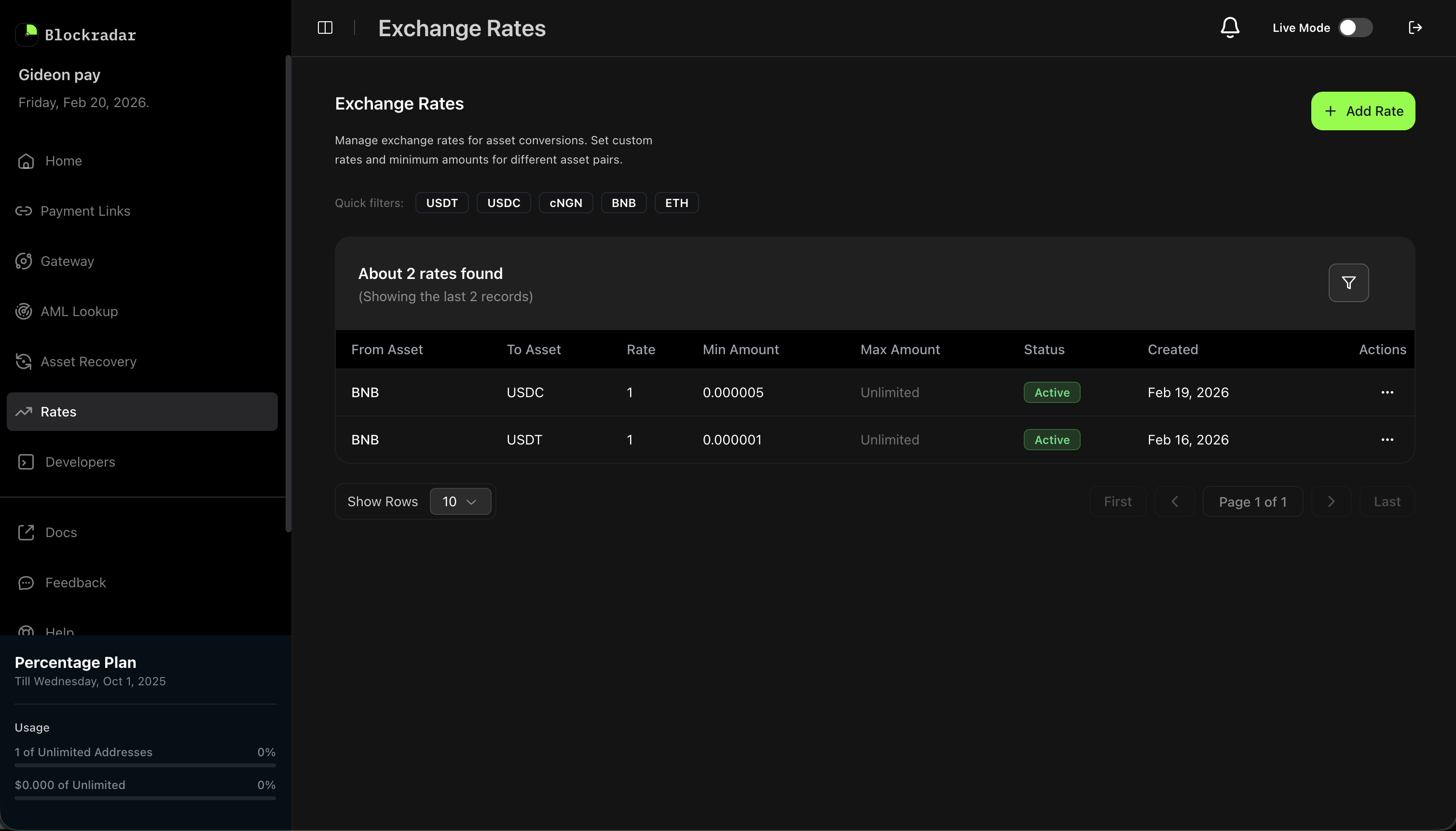
Blockradar’s Liquidity Pool allows approved Liquidity Providers (LPs) to define and manage exchange rates for asset pairs. Rates power the internal swap engine — when a user initiates a swap, the system automatically selects the best available rate from active LPs, validates liquidity, and executes the transaction.
Blockradar’s Liquidity Pool allows approved Liquidity Providers (LPs) to define and manage exchange rates for asset pairs. Rates power the internal swap engine — when a user initiates a swap, the system automatically selects the best available rate from active LPs, validates liquidity, and executes the transaction.
Prerequisites
Before using the Liquidity Pool API, ensure you have:1
Become a Liquidity Provider
The Liquidity Pool is available to approved Liquidity Providers only. To get started, fill out the LP application form and the Blockradar team will review your application and onboard you.
2
API Key
Once onboarded, generate an API key from the Blockradar Dashboard. Navigate to Developers to create one.
3
Fund Your Wallets
Ensure your treasury wallets have sufficient balance of the assets you plan to provide liquidity for, plus native tokens to cover network fees.
How It Works
As a Liquidity Provider, you define exchange rates for asset pairs (e.g., BNB → USDC). When a user on the Blockradar platform initiates a swap, the system:- Finds matching rates from all active LPs for the requested asset pair.
- Ranks candidates by best rate, LP priority, and creation time.
- Validates liquidity by checking the selected LP’s treasury wallet has enough balance to fulfill the swap.
- Executes the swap using the selected LP’s rate and treasury.
Rate Management
Create, update, deactivate, and reactivate exchange rates for any supported asset pair.
Amount Bands
Define minimum and maximum transaction amounts per rate to control exposure and segment pricing tiers.
Version History
Every rate change creates a new version. Full history is preserved for auditing and analytics.
Automatic Selection
The system automatically selects the best LP for each swap based on rate, priority, and available liquidity.
Rate Lifecycle
Rates follow a clear lifecycle with full version tracking:1. Create a Rate
Define a new exchange rate for an asset pair. The rate starts as active at version 1.Request Parameters
Create Response
2. Update a Rate
Modify the rate or amount constraints for an existing active rate. This creates a new version — the previous version is automatically marked assuperseded.
Only provide the fields you want to change — partial updates are supported.
3. Deactivate a Rate
Temporarily take a rate offline. The rate becomes deactivated and will no longer be selected for swaps.4. Reactivate a Rate
Bring a deactivated rate back online. This creates a new version withactive status.
Pricing Tools
Before quoting a new tier or repricing an existing one, use the pricing tools to inspect your own coverage and benchmark against other Liquidity Providers in the same business segment.Check Active Rates for a Pair
GET /rates/check-pair returns every active rate you have configured for an asset pair on the current environment, including the amount band of each. Use it to confirm whether you are already quoting a pair before opening a new tier.
Response
Benchmark Against Other LPs
GET /rates/market-benchmark returns the best competing rate for an asset pair across other Liquidity Providers in your business segment. Your own rates are excluded so you can see what you are pricing against. Results are cached for 60 seconds per pair.
Pass amount to restrict the benchmark to rates whose band covers that transaction size, or pass pairs (comma-separated from:to entries, max 20) to get an array of benchmarks in a single call.
Single pair response
Batch response
bestRate is null when no other LP has an active rate for the pair (or for the supplied amount band).Inspect Treasury Balances
GET /rates/treasury-balances returns aggregated treasury balances for every asset that appears in your active rates, broken down by blockchain. Use it to monitor liquidity coverage across the pairs you are quoting.
The response excludes assets with a zero on-chain balance and de-duplicates entries when the same asset/wallet pair is referenced by multiple rates.
Response
Rate Versioning
Every time a rate is updated or reactivated, a new version is created. The previous version is marked assuperseded. This provides a complete audit trail.
Version Chain Example
View Rate History
Retrieve the full version history for a rate:History Response
Rate Statuses
Amount Bands
Each rate covers a transaction amount range defined byminAmount and maxAmount:
minAmount— The inclusive lower bound. Transactions below this amount will not use this rate.maxAmount— The exclusive upper bound. Set tonull(omit) for unlimited.
Multiple Rates for the Same Pair
You can create multiple rates for the same asset pair with different amount bands to offer tiered pricing:Liquidity Validation
Before executing a swap using your rate, the system validates that your treasury wallet has:- Sufficient token balance of the destination asset to cover the swap output (
amount x rate). - Sufficient native token balance (ETH, BNB, etc.) to cover network fees for the transfer.
Best Practices
Rate Management
- Monitor market conditions and update rates regularly to stay competitive
- Use amount bands to offer tiered pricing for different transaction sizes
- Deactivate rates during maintenance or high volatility instead of deleting them
- Review version history to track rate changes over time
Liquidity
- Maintain sufficient balance in your treasury wallets for both the destination asset and native tokens
- Set up monitoring for low balance alerts
- Fund wallets proactively to avoid gaps in service
API Reference
Support
- Email: [email protected]
- Become an LP: Apply here to express your interest in becoming a Liquidity Provider
The Liquidity Pool is designed for institutional and professional liquidity providers. Apply to become an LP, then test your rate configurations on testnet before going live.