

Documentation Index
Fetch the complete documentation index at: https://docs.blockradar.co/llms.txt
Use this file to discover all available pages before exploring further.
In a nutshell
Blockradar’s Withdraw Fiat API lets you convert supported stablecoins into fiat and transfer funds to bank accounts. You can fetch supported assets, validate bank accounts, get quotes, and execute withdrawals from both master wallets and child addresses.
Blockradar’s Withdraw Fiat API lets you convert supported stablecoins into fiat and transfer funds to bank accounts. You can fetch supported assets, validate bank accounts, get quotes, and execute withdrawals from both master wallets and child addresses.
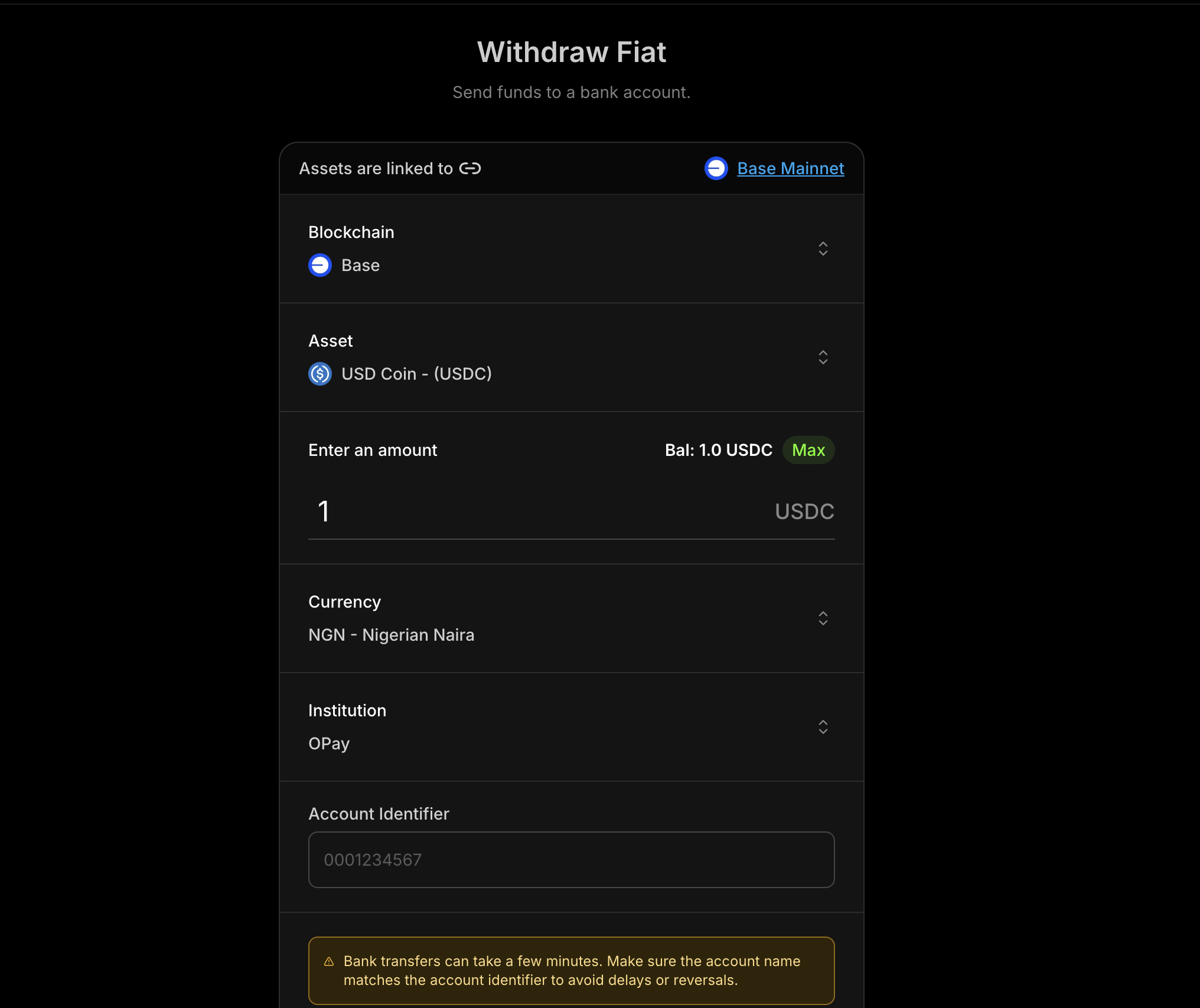
Prerequisites
Before using Withdraw Fiat, ensure you have:Compliance Requirement
Complete partner onboarding before requesting Withdraw Fiat access (see
Compliance Requirements below).
API Key
Get your API key from the Blockradar
Dashboard. Navigate to Developers to
generate one.
Wallet Created
Create a wallet via the dashboard. You’ll need the
walletId for withdrawal
operations.Asset ID
Fetch supported fiat assets using Get Supported
Assets.
How It Works
Withdraw Fiat follows a simple sequence:Discover Assets
Fetch the assets supported for withdrawals.
Get Fiat Currencies
Retrieve all supported currencies.
Get Rates
Fetch the current exchange rate for your selected asset.
Verify Account
Validate institution account details before initiating a withdrawal.
Get Quote
Estimate fees and exchange rate for the requested amount.
Execute
Submit the withdrawal for processing.
Supported Fiat Currencies
| Currency | Code |
|---|---|
| Kenyan Shilling | KES |
| Nigerian Naira | NGN |
| Tanzanian Shilling | TZS |
| Ugandan Shilling | UGX |
| Brazilian Real | BRL |
| Malawian Kwacha | MWK |
Compliance Requirements
Before accessing Withdraw Fiat, complete the applicable compliance onboarding process for your payout currency coverage.Choose Your Onboarding Path
- NGN (Naira) only: Complete the Naira-only onboarding form.
- Other African currencies: Complete the African currencies partner onboarding.
If you need access to both NGN and other supported African currencies, complete both onboarding flows.
Approval Requirement
Withdraw Fiat access is enabled after compliance review and approval for your selected onboarding path.Master Wallet vs Child Address
Withdraw Fiat is available at two levels:Master Wallet
Withdraw from the master wallet. Ideal for treasury operations.
Child Address
Withdraw from a specific child address. Useful for user-specific flows.
Endpoints
| Operation | Master Wallet | Child Address |
|---|---|---|
| Get Supported Assets | GET /v1/wallets/{walletId}/withdraw/fiat/assets | — |
| Get Institutions | GET /v1/wallets/{walletId}/withdraw/fiat/institutions | — |
| Get Exchange Rates | GET /v1/wallets/{walletId}/withdraw/fiat/rates | — |
| Get Currencies | GET /v1/wallets/{walletId}/withdraw/fiat/currencies | — |
| Verify Institution Account | POST /v1/wallets/{walletId}/withdraw/fiat/institution-account-verification | — |
| Get Quote | POST /v1/wallets/{walletId}/withdraw/fiat/quote | POST /v1/wallets/{walletId}/addresses/{addressId}/withdraw/fiat/quote |
| Execute | POST /v1/wallets/{walletId}/withdraw/fiat/execute | POST /v1/wallets/{walletId}/addresses/{addressId}/withdraw/fiat/execute |
Typical Flow
- Fetch supported assets to choose the stablecoin to withdraw.
- List institutions and select a bank/institution identifier.
- Verify account to confirm account name/details.
- Get quote to show fees and rate before execution.
- Execute withdrawal and track status in your system.
Step 1: Get a Quote
Always fetch a quote before executing a withdrawal so you can display the rate and fees to the user.Request Parameters
| Parameter | Type | Required | Description |
|---|---|---|---|
assetId | string | Yes | The stablecoin asset ID to withdraw |
amount | string | Yes | Amount to withdraw in the asset’s units |
currency | string | Yes | Destination fiat currency (e.g., NGN) |
accountIdentifier | string | Yes | Bank account number or identifier |
institutionIdentifier | string | Yes | Bank/institution code |
Quote Example
Step 2: Execute Withdrawal
Once you accept the quote, execute the withdrawal with the same details.Request Parameters
| Parameter | Type | Required | Description |
|---|---|---|---|
assetId | string | Yes | The stablecoin asset ID to withdraw |
amount | string | Yes | Amount to withdraw in the asset’s units |
currency | string | Yes | Destination fiat currency (e.g., NGN) |
accountIdentifier | string | Yes | Bank account number or identifier |
institutionIdentifier | string | Yes | Bank/institution code |
reference | string | No | Client reference for idempotency/tracking |
metadata | object | No | Key-value metadata attached to the transaction |
note | string | No | Human-readable note for this withdrawal |
Execute Example
Execute Response
Webhooks
Track withdrawal status with the following webhook events:| Event | Description |
|---|---|
offramp.processing | Withdrawal is being processed |
offramp.success | Withdrawal completed successfully |
offramp.failed | Withdrawal failed |
Webhook Payload Example
Complete Flow Example
Here’s a full implementation showing the verify → quote → execute flow:Error Responses
Invalid Bank Details
Invalid Bank Details
Unsupported Currency
Unsupported Currency
Asset not supported
Asset not supported
Feature not enabled
Feature not enabled
Insufficient Balance
Insufficient Balance
Insufficient Native Balance
Insufficient Native Balance
Insufficient Master Wallet Balance
Insufficient Master Wallet Balance
Best Practices
User Experience
- Verify accounts first: Always confirm account name before showing a quote
- Show full cost: Display exchange rate, network fee, and total amount
- Surface processing state: Use webhooks to update users in real time
Security
- Validate inputs: Ensure currency, institution, and account identifiers are well-formed
- Use references: Track withdrawals with a unique
reference - Confirm via webhooks: Treat
offramp.successas the final source of truth
Performance
- Cache institution lists: Refresh periodically instead of on every request
- Reuse asset metadata: Cache supported assets and currencies
- Retry on transient errors: Use exponential backoff for 5xx responses
API Reference
| Endpoint | Description |
|---|---|
| Get Supported Assets | List supported stablecoin assets |
| Get Institutions | List institutions by currency |
| Get Exchange Rates | Fetch exchange rate for a quote |
| Get Currencies | List supported fiat currencies |
| Verify Institution Account | Verify bank account details |
| Master Wallet Quote | Get quote from master wallet |
| Master Wallet Execute | Execute withdrawal from master wallet |
| Child Address Quote | Get quote from child address |
| Child Address Execute | Execute withdrawal from child address |
Support
- Email: [email protected]
- Documentation: API Reference